LakeShark

FIELD SETUP WIKI ROADMAP

A handheld scanner: an ESP32-P4 and an RTL-SDR dongle. Decodes P25, ADS-B, POCSAG and FM. A Flipper Zero can drive it over Bluetooth.

ARADIO
Which board
What you need
BoardPick one above.
ReceiverAny RTL-SDR (RTL2832U) dongle. R820T2 or R828D tuner.
AntennaWhatever suits the band. The stock whip is enough to see aircraft.
CablesPick a board above.
Install · 2.2.1
To install, open this page in Chrome or Edge on a computer.

Choose your board above.

Flashing needs a secure connection.

It said "Failed to initialize"

The browser has one attempt at putting the board into its bootloader. Hold the BOOT button down, click Connect and install, and keep holding until it says connected. Then let go.

If that does not take, switch the board off with the slider beside the P4U port, hold BOOT, switch it back on, and click Connect and install while still holding.

Close anything else that has the port open first, such as a serial monitor or a second copy of this page. On Linux, your user needs to be in the dialout group.

The terminal route below does its own retries and does not need the button held.

New to LakeShark? Start here. This installs everything your board needs, on a new board or over any existing install.
Sending me a log when something goes wrong

The flasher can read the board's log. Nothing to install, same button, same browser.

  1. Connect the board and press Connect and install, then choose Logs & Console instead of Install.
  2. Press the board's reset, or unplug and replug its power, so the log starts from the beginning of a boot.
  3. Wait about a minute, then click Download Logs and attach the file.

The first thirty seconds after a reset are the useful part. Close any other program holding the port first, and please send the whole file rather than the lines that look relevant.

Do it from a terminal instead

With esptool installed, from the unpacked firmware bundle:

Pick a board above.

Checksums are in SHA256SUMS. Later application-only updates are just the 0x10000 line.

Slower is more reliable. If a write stalls or the board will not sync, drop the speed with --baud 460800, then --baud 115200.

Optional · T-Display-P4 stuck on colour bars
LilyGO T-Display-P4 only. Every board here reports as an ESP32-P4, so the installer cannot tell them apart. Do not use this on the LCD-4.3 or the NANO.

If your board shows vertical colour bars and reboots every few seconds, its ESP32-C6 is on firmware older than 2.2.x expects. The link times out, the P4 restarts before the screen hands over, and the bars stay up. The screen is fine.

This build stops the failed C6 link taking the board down with it. It waits about twenty seconds at boot, gives up, and carries on with no Wi-Fi or Bluetooth. The Flipper remote is Bluetooth-only on this board, so it is out too until the C6 is updated. That needs a 3.3 V USB-to-UART adapter on its UART header, and the steps are in the flashing guide.

Connect the P4U USB-C port, as usual:

Flashing needs a secure connection.

Built from efca324, and confirmed on a board that was showing the bars. Once your C6 is updated, install 2.2.1 above.

Do it from a terminal instead

From the unpacked workaround bundle:

esptool --chip esp32p4 --baud 921600 write_flash   --flash_mode dio --flash_freq 80m --flash_size 16MB   0x2000    bootloader.bin   0x8000    partition-table.bin   0x10000   lakeshark.bin   0x910000  storage.bin
Archived RC · 2.1.0-rc2 · superseded

This release candidate is retained for reference. Use 2.2.1 above.

Archived release record

BFLIPPER REMOTE
OPTIONAL COMPANION

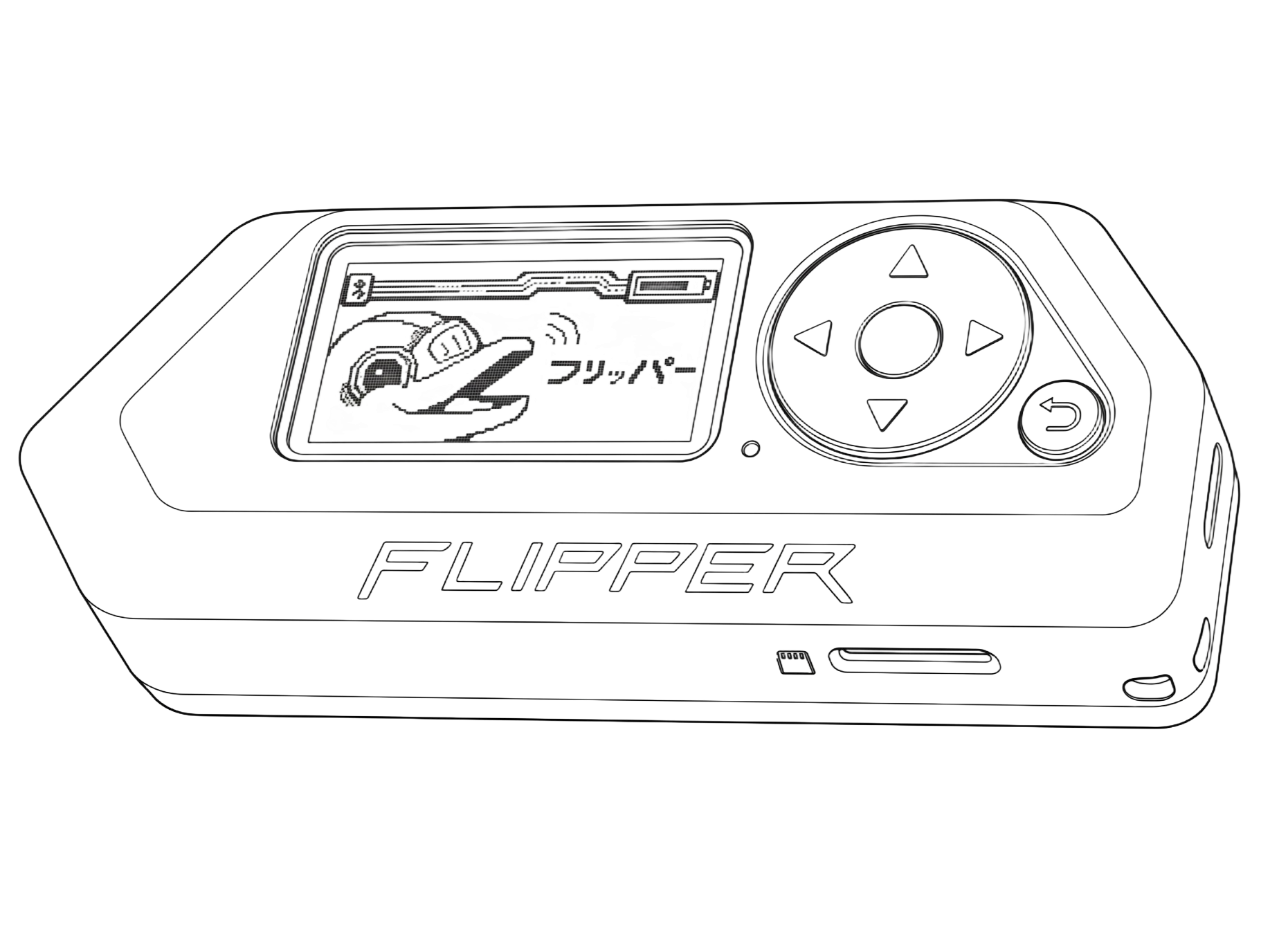
Use a Flipper Zero as a remote.

Control LakeShark from your Flipper over Bluetooth. Tune the receiver and check its status while the LakeShark device stays in your bag or on the desk.

LakeShark receives and decodes the signals. The Flipper runs the companion app and provides the buttons and display. You can also use LakeShark's touchscreen without a Flipper.

Flipper Zero remote control
FLIPPER ZERO / CONTROLS & DISPLAY — flipper.net
Set up the Flipper app
  1. On your computer, download the Flipper companion app (Momentum 430a3d50 / API 87.1). Copy lakeshark_p25.fap to /ext/apps/GPIO/ on the Flipper's SD card.
  2. Turn Bluetooth on in the Flipper's own Settings → Bluetooth. The app cannot turn it on for you.
  3. On the Flipper, open GPIO → LakeShark SDR.
  4. Inside the Flipper app: Settings → Link → Transport, set it to Bluetooth.

Keep the LakeShark receiver powered on nearby. Leave the Flipper app open while it connects. In the app, advertising means waiting for the receiver, connected means Bluetooth is connected, and linked means the control connection is ready.

Every page of the app, its buttons and all 44 screenshots are in the Flipper guide.

Keep the LakeShark SDR app open on the Flipper. Closing it ends the companion connection. The Flipper's normal Bluetooth connection is separate from this app.
Flipper shows NO SDR? Check that the LakeShark receiver is powered on, Bluetooth is enabled on the Flipper, and the app's Settings → Link → Transport is set to Bluetooth. The message alone does not identify the cause.
Wired instead of Bluetooth

Set Transport to UART and wire radio TX to Flipper RX, radio RX to Flipper TX, common GND. Do not feed the board from Flipper 5 V while it is also on USB.

CMAPS

Optional. Only the ADS-B map uses it.

Where

    Size
    ZoomGridTilesDownloadOn card
    Command

    Unzip lakeshark-maps.zip, run these in that folder. Needs Python 3.


    On the P4, put the file in /maps on the SD card. Any name works, the loader takes the first .pmtiles it finds there.

    On the Flipper, it goes to apps_data/lakeshark_p25/map.pmtiles. Running ZeroMesh already? Skip it.

    DPRESETS

    Made in your browser. Nothing is uploaded.

    P25 system profile

    Radio's PROGRAM tab, RELOAD. Control channels from RadioReference.

    /sdcard/p25_profile.txt

    GPS scan list · P25 + FM

    2.1.0 conventional channels. GPS selects channels by coverage. Trunked-system roaming is not supported yet.

    Coverage applies to all rows unless the imported file supplies its own coordinates and radius.

    Load onto the P4

    Copy nearby.lscan to the SD card. In the console, run:

    ch load /sdcard/nearby.lscan

    This replaces the saved scan list. Then open SCAN > CHANNEL LIST and turn on GPS FILTER. Use MIXED AUDIO for P25 and FM together.

    Channel memories

    One list per receiver.

    apps_data/lakeshark_p25/ch_fm.txt

    EUSING IT
    First run
    1. Dongle into the USB-A host port, antenna on, power up.
    2. Start with ADS-B. No frequency to guess. Aircraft appearing means the whole chain works.
    3. Then FM, on a station you know is there. Audio proves the speaker path.
    4. P25 last. It needs a system actually on the air near you.
    Aircraft within a minute or two means USB, dongle, tuning, DSP and display are all good.
    Getting files off it

    Settings, Wi-Fi, SCAN. The board then serves its SD card over HTTP. Pull down the shade for the address and a screenshot button.

    When something is wrong
    Flipper says NO SDR
    Keep the Flipper app open and the LakeShark receiver powered on. Check Bluetooth and the app's Transport setting. See FLIPPER REMOTE for setup.
    No aircraft on ADS-B
    Give it two minutes , it needs an aircraft to transmit. Check the antenna is on the dongle and the dongle is in the USB-A host port, not the UART port.
    "Low memory. Tap an app to retry."
    Internal RAM ran out while loading. Go back to HOME and open the app again. If it repeats, power-cycle.
    An app opens but nothing is received
    Power-cycle. A receiver that draws its screen but never tunes has failed to claim the dongle, and a clean boot clears it.
    P25 shows activity but no speech
    Control-channel traffic is not voice. Valid NACs and TSBKs only mean you found the system; voice needs a talkgroup actually in use, and unencrypted.
    Source, issues and the other board targets: github.com/SAMS0N1TE/LakeShark. GPLv3. What you are allowed to listen to is local law and yours to check.